2.3 — Threat Modeling
Listen instead
Learning Objectives
- ✓ Explain CIS 16.14 requirements and when threat modeling must be performed
- ✓ Conduct threat modeling using STRIDE methodology end-to-end
- ✓ Create data flow diagrams with trust boundaries for threat analysis
- ✓ Apply PASTA, LINDDUN, and Attack Tree methodologies where appropriate
- ✓ Rate and prioritize threats using DREAD scoring
- ✓ Use AI-assisted threat modeling tools (STRIDE GPT, MAESTRO) with appropriate validation
- ✓ Maintain threat models as living documents through the system lifecycle
1. CIS Control 16.14 — Conduct Threat Modeling
Full Requirements
CIS 16.14 specifies that organizations shall conduct threat modeling with the following characteristics:
-
Performed before code is written: Threat modeling is a design-phase activity. Its purpose is to identify threats early enough to influence architectural decisions. Threat modeling after implementation is vulnerability assessment, not threat modeling.
-
Requires specially trained individuals: Not every developer can conduct threat modeling effectively. It requires understanding of attack techniques, common vulnerability patterns, architectural weaknesses, and security control effectiveness. CIS specifies that trained personnel must perform or guide the process.
-
Evaluates per entry point and access level: The threat model must be granular. Each entry point to the system (HTTP endpoint, message queue, file upload interface, administrative console) must be evaluated for threats specific to that entry point and the access level it exposes.
-
Maps application, architecture, and infrastructure weaknesses: Threat modeling is not limited to application code. It encompasses the full stack — application logic, system architecture, deployment infrastructure, network topology, and third-party integrations.
When to Perform Threat Modeling
| Trigger | Scope | Depth |
|---|---|---|
| New project (during design phase) | Full system | Comprehensive — all components, all entry points |
| New feature (during feature design) | Feature and its interactions with existing system | Targeted — new entry points, new data flows, modified trust boundaries |
| External integration | Integration points and data flows to/from external system | Focused — trust boundary crossing, data exposure, authentication/authorization |
| Post-incident | Affected components and related attack surface | Root cause analysis — what threats were missed, what controls failed |
| Major architectural change | Affected subsystems | Re-assessment of previously modeled components under new architecture |
| Annual review (critical systems) | Full system | Refresh — new threat intelligence, new attack techniques, architectural drift |
| Compliance requirement | As defined by regulation | PCI DSS 6.5.1, HIPAA risk analysis, SOC 2 risk assessment |
2. STRIDE Methodology
STRIDE is the most widely adopted threat modeling methodology, developed by Microsoft in 1999. It provides a mnemonic framework that maps threat categories to security properties.
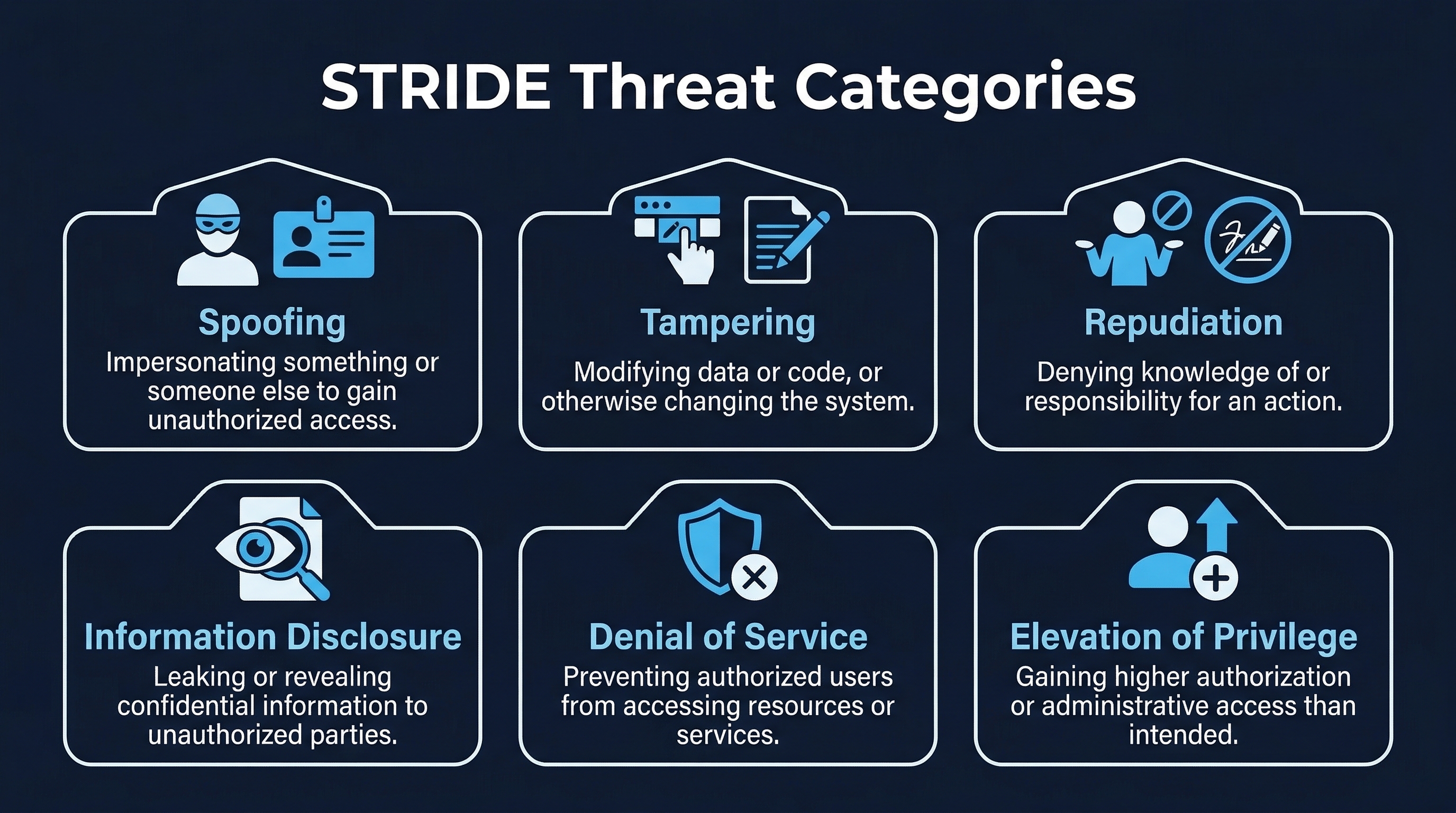 Figure: STRIDE Threat Categories — Six threat categories mapped to security properties they violate
2.1 STRIDE Categories
| Threat Category | Security Property Violated | Question to Ask |
|---|---|---|
| S — Spoofing | Authentication | Can an attacker pretend to be someone or something else? |
| T — Tampering | Integrity | Can an attacker modify data they should not be able to modify? |
| R — Repudiation | Non-repudiation | Can a user deny performing an action when they actually did? |
| I — Information Disclosure | Confidentiality | Can an attacker access data they should not be able to see? |
| D — Denial of Service | Availability | Can an attacker prevent legitimate users from accessing the system? |
| E — Elevation of Privilege | Authorization | Can an attacker gain higher privileges than they should have? |
2.2 STRIDE in Detail
Spoofing (Authentication)
Spoofing threats target identity. An attacker assumes the identity of a legitimate user, service, or component.
Common attack vectors:
- Credential theft (phishing, keylogging, credential stuffing)
- Session hijacking (cookie theft, session fixation)
- Token forgery (JWT manipulation, unsigned tokens)
- Service impersonation (DNS spoofing, ARP poisoning, fake API endpoints)
- Certificate spoofing (rogue certificates, compromised CAs)
Mitigations:
- Strong authentication (MFA, certificate-based, passwordless)
- Session security (secure cookies, session regeneration, binding)
- Token integrity (signed JWTs, short expiry, audience validation)
- Mutual TLS for service-to-service communication
- Certificate pinning and certificate transparency monitoring
Tampering (Integrity)
Tampering threats target data integrity. An attacker modifies data in transit, at rest, or in processing.
Common attack vectors:
- Man-in-the-middle attacks (HTTP interception, DNS manipulation)
- SQL injection (modifying database queries)
- Parameter tampering (modifying request parameters, hidden fields)
- Binary patching (modifying executables or libraries)
- Configuration manipulation (modifying environment variables, config files)
- Log tampering (modifying audit trails to cover tracks)
Mitigations:
- TLS for all data in transit
- Digital signatures on critical data (code signing, message signing)
- Input validation and parameterized queries
- Integrity monitoring (file integrity monitoring, configuration drift detection)
- Immutable infrastructure (read-only file systems, container images)
- Append-only, tamper-evident logging
Repudiation (Non-repudiation)
Repudiation threats exploit the inability to prove that an action occurred or who performed it.
Common scenarios:
- User claims they did not authorize a transaction
- Administrator denies making a configuration change
- Service denies sending a message
- Attacker performs actions without leaving traceable evidence
Mitigations:
- Comprehensive audit logging (who, what, when, where, outcome)
- Digital signatures on transactions
- Tamper-evident log storage
- Timestamps from trusted, synchronized sources
- Non-repudiation protocols for critical operations
Information Disclosure (Confidentiality)
Information disclosure threats expose data to unauthorized parties.
Common attack vectors:
- SQL injection (extracting database contents)
- Directory traversal (accessing files outside intended scope)
- Error message information leakage (stack traces, database errors, file paths)
- Insecure direct object references (accessing other users’ data by manipulating IDs)
- Side-channel attacks (timing attacks, cache-based attacks)
- Metadata leakage (HTTP headers, DNS queries, TLS SNI)
Mitigations:
- Encryption at rest and in transit
- Access control at object level (not just role level)
- Sanitized error messages (no internal details to users)
- Data classification and handling procedures
- Secure headers (remove server version, technology stack information)
- Minimization of data exposure in API responses
Denial of Service (Availability)
Denial of service threats prevent legitimate users from accessing the system.
Common attack vectors:
- Volumetric DDoS (bandwidth exhaustion)
- Application-layer DDoS (resource exhaustion via expensive operations)
- Resource starvation (memory leaks, file descriptor exhaustion, connection pool exhaustion)
- Logic-based DoS (triggering expensive error handling, algorithmic complexity attacks)
- Dependency disruption (attacking a critical dependency to cascade failure)
Mitigations:
- Rate limiting (per-user, per-IP, per-endpoint)
- Resource quotas and circuit breakers
- Auto-scaling and load balancing
- CDN and DDoS protection services
- Input validation (reject oversized or malformed requests early)
- Resilient architecture (graceful degradation, bulkhead pattern)
Elevation of Privilege (Authorization)
Elevation of privilege threats allow an attacker to gain unauthorized access levels.
Common attack vectors:
- Vertical privilege escalation (regular user gains admin access)
- Horizontal privilege escalation (user A accesses user B’s data)
- Insecure direct object references
- Missing function-level access control
- Dependency confusion (injecting malicious packages into build pipeline)
- Container breakout (escaping container isolation to host)
Mitigations:
- Role-based or attribute-based access control enforced server-side
- Object-level authorization (verify user can access this specific resource)
- Principle of least privilege applied at every layer
- Input validation to prevent injection-based escalation
- Container hardening (non-root, read-only filesystem, dropped capabilities)
- Regular access review and certification
3. PASTA — Process for Attack Simulation and Threat Analysis
PASTA is a seven-stage, risk-centric threat modeling methodology that aligns threat modeling with business risk.
The Seven Stages
Stage 1: Define Objectives Identify the business objectives, compliance requirements, and risk tolerance for the application. Determine what matters most from a business perspective. This stage ensures threat modeling is aligned with organizational priorities.
Stage 2: Define Technical Scope Document the technical environment: application architecture, technology stack, deployment infrastructure, network topology, third-party integrations, and data flows. Create or update architecture diagrams.
Stage 3: Application Decomposition Break the application into components: processes, data stores, data flows, trust boundaries, entry points, and exit points. Identify actors (users, systems, external entities) and their interactions. This stage produces data flow diagrams and system context diagrams.
Stage 4: Threat Analysis Identify threats using threat intelligence, known attack patterns, historical vulnerability data, and structured methodologies (STRIDE, attack libraries). Consider both external and internal threat actors. Map threats to application components identified in Stage 3.
Stage 5: Vulnerability Analysis Identify existing vulnerabilities in the architecture and implementation. Use vulnerability databases (CVE), static analysis results, penetration test findings, and architectural weaknesses identified in design review. Correlate vulnerabilities with threats from Stage 4.
Stage 6: Attack Modeling Construct attack trees and attack scenarios that combine threats (Stage 4) with vulnerabilities (Stage 5) to identify realistic attack paths. Model how an attacker would chain vulnerabilities to achieve their objectives. Prioritize based on likelihood and impact.
Stage 7: Risk and Impact Analysis Quantify the business impact of each attack scenario. Calculate residual risk after existing mitigations. Recommend additional mitigations prioritized by risk reduction per cost. This stage produces the threat model report with actionable findings.
When to Use PASTA
PASTA is more comprehensive and resource-intensive than STRIDE. Use it when:
- The application processes highly sensitive data (financial, healthcare, critical infrastructure)
- Business risk alignment is essential (executive reporting, regulatory justification)
- Existing threat intelligence is available and should be incorporated
- The team needs to justify security investment with risk-based prioritization
4. LINDDUN — Privacy Threat Modeling
LINDDUN is a privacy-focused threat modeling methodology analogous to STRIDE but targeting privacy properties. It is covered in more detail in Module 2.6 (Privacy by Design) but introduced here for completeness.
| Threat Category | Privacy Property | Description |
|---|---|---|
| L — Linking | Unlinkability | Attacker links data across sources to identify individuals |
| I — Identifying | Anonymity | Attacker identifies individuals from supposedly anonymous data |
| N — Non-repudiation | Plausible deniability | System forces accountability where privacy requires deniability |
| D — Detecting | Undetectability | Attacker detects that a user is using the system |
| D — Data Disclosure | Confidentiality | Personal data exposed to unauthorized parties |
| U — Unawareness | Content awareness | Users unaware of data collection, processing, sharing |
| N — Non-compliance | Policy compliance | System violates privacy policies or regulations |
When to use: Any system processing personal data, especially under GDPR, CCPA, HIPAA, or other privacy regulations.
5. Attack Trees
Attack trees provide a hierarchical decomposition of how an attacker achieves a goal. The root node is the attacker’s goal. Child nodes represent sub-goals. Leaf nodes represent atomic attack steps.
Structure
[Attacker Goal: Steal Customer Database]
├── [OR] Exploit SQL Injection
│   ├── [AND] Find injectable parameter
│   │   ├── Fuzz search endpoint
│   │   └── Test login form
│   └── [AND] Extract data via injection
│       ├── UNION-based extraction
│       └── Blind boolean-based extraction
├── [OR] Compromise Database Credentials
│   ├── Extract from source code repository
│   ├── Extract from configuration files on server
│   └── Intercept credentials in transit (no TLS)
├── [OR] Compromise Admin Account
│   ├── Credential stuffing attack
│   ├── Phishing attack against admin
│   └── Social engineering help desk
└── [OR] Exploit Insider Access
    ├── Malicious DBA exports data
    └── Compromised developer laptop with DB access
Using Attack Trees
- Define the attacker goal (root node)
- Decompose into sub-goals using OR (attacker needs any one) and AND (attacker needs all)
- Annotate leaf nodes with likelihood (Low/Medium/High), cost, and skill required
- Identify critical paths — the most likely/cheapest attack paths
- Map mitigations to leaf nodes — which controls block which attack steps
- Prioritize mitigations by how many attack paths they block
When to Use Attack Trees
Attack trees are most useful when:
- Analyzing a specific high-value asset
- Communicating threats to non-technical stakeholders (visual representation)
- Comparing mitigation strategies (which controls block the most paths)
- Red team planning (identifying the most efficient attack sequences)
6. The Threat Modeling Process Step by Step
Step 1: Decompose the Application
Create Data Flow Diagrams (DFDs) that represent:
- Processes: Components that transform data (web server, application server, microservices)
- Data stores: Locations where data persists (databases, file systems, caches, message queues)
- Data flows: Movement of data between processes, stores, and entities (HTTP requests, database queries, API calls, message queue publications)
- External entities: Actors outside the system boundary (users, external APIs, third-party services)
- Trust boundaries: Lines that separate different trust levels (internet vs. DMZ, DMZ vs. internal network, application tier vs. database tier, user browser vs. server)
DFD Levels:
- Level 0 (Context Diagram): Shows the system as a single process with its external entities and data flows. High-level overview.
- Level 1: Decomposes the single process into major subsystems with their internal data flows and stores.
- Level 2: Further decomposes each subsystem into individual components. This is typically the level used for threat modeling.
Step 2: Identify Threats Using Chosen Methodology
Apply STRIDE (or your chosen methodology) to each element in the DFD:
| DFD Element | Applicable STRIDE Threats |
|---|---|
| External entity | Spoofing |
| Process | Spoofing, Tampering, Repudiation, Information Disclosure, Denial of Service, Elevation of Privilege |
| Data flow | Tampering, Information Disclosure, Denial of Service |
| Data store | Tampering, Information Disclosure, Denial of Service, Repudiation (if it is a log) |
For each applicable threat category on each element, ask: “Is this threat relevant? How could it be exploited? What is the impact?”
Step 3: Rate Threats
DREAD Scoring
DREAD provides a 1-10 rating across five dimensions:
| Dimension | Question | Scale |
|---|---|---|
| D — Damage | How much damage if exploited? | 1 (minimal) to 10 (complete compromise) |
| R — Reproducibility | How easy to reproduce? | 1 (very hard) to 10 (always works) |
| E — Exploitability | How much skill/resources needed? | 1 (nation-state) to 10 (script kiddie) |
| A — Affected users | How many users affected? | 1 (single) to 10 (all users) |
| D — Discoverability | How easy to find? | 1 (insider knowledge) to 10 (publicly known) |
Overall score = (D + R + E + A + D) / 5
| Score Range | Priority |
|---|---|
| 8-10 | Critical — immediate remediation |
| 5-7 | High — remediate in current sprint/release |
| 3-4 | Medium — remediate in next release cycle |
| 1-2 | Low — accept or schedule for future remediation |
Alternative: CVSS-Based Rating
Some organizations use CVSS (Common Vulnerability Scoring System) methodology for consistency with vulnerability management processes. CVSS evaluates attack vector, attack complexity, privileges required, user interaction, scope, and impact (confidentiality, integrity, availability).
Step 4: Define Mitigations
For each threat rated High or Critical, define specific mitigations:
| Threat | Mitigation | Control Type | Implementation |
|---|---|---|---|
| SQL injection on search endpoint | Parameterized queries + input validation | Preventive | ORM with parameterized queries, input schema validation |
| Session hijacking via cookie theft | Secure, HttpOnly, SameSite cookies + session binding | Preventive | Set cookie flags, bind session to IP/User-Agent |
| DDoS on login endpoint | Rate limiting + CAPTCHA | Preventive + Detective | Rate limiter middleware (10 req/min), CAPTCHA after 3 failures |
| Privilege escalation via IDOR | Object-level authorization | Preventive | Authorization check before resource access, indirect references |
Mitigations should be:
- Specific: Not “add security,” but “implement rate limiting at 10 requests per minute per IP on the /login endpoint”
- Assigned: Someone is responsible for implementation
- Testable: How do we verify the mitigation works?
- Tracked: In the project management system with a due date
Step 5: Validate Mitigations Implemented
After implementation, verify each mitigation:
- Code review confirms the mitigation is implemented correctly
- Security testing confirms the mitigation is effective
- Regression testing confirms the mitigation does not break functionality
- The threat model is updated with mitigation status
Step 6: Document and Maintain
The threat model document includes:
- System description and scope
- Data flow diagrams
- Threat catalog (all identified threats with DREAD scores)
- Mitigation plan (all mitigations with status and owner)
- Residual risk acceptance (threats accepted without mitigation, with justification and sign-off)
- Review history (when the threat model was created, reviewed, updated)
7. AI-Assisted Threat Modeling
7.1 STRIDE GPT
STRIDE GPT is an open-source, Streamlit-based application that uses LLMs to generate threat models from application descriptions.
How it works:
- User provides an application description (text or diagram description)
- User selects the LLM model (GPT-4, Claude, etc.)
- The tool generates a STRIDE-based threat model
- Output includes threats per STRIDE category, suggested mitigations, and data flow diagram descriptions
Strengths:
- Rapid initial threat identification (minutes vs. hours)
- Consistent coverage of standard threat categories
- Good for generating a starting point that security engineers refine
- Accessible to teams without deep threat modeling experience
Limitations:
- Relies entirely on the quality and completeness of the application description provided
- Generates generic threats that may not be relevant to the specific system
- Cannot assess complex business logic threats
- No access to actual architecture, code, or configuration — works only from description
- Output quality varies significantly by model and prompt quality
Recommended use: Generate an initial threat model, then have a trained security engineer review, validate, remove irrelevant threats, add context-specific threats, and refine mitigations.
7.2 MAESTRO Framework
The Cloud Security Alliance (CSA) published the MAESTRO Framework (Modular Architecture for Evaluating Security Threats in Robust Operations) in February 2025, specifically designed for threat modeling agentic AI systems.
Seven-Layer Architecture:
| Layer | Focus | Threats |
|---|---|---|
| 1 — Foundation Model | The base AI model | Training data poisoning, model theft, adversarial inputs |
| 2 — Data & Knowledge | Data retrieval (RAG), knowledge bases | RAG poisoning, data exfiltration via retrieval, knowledge base manipulation |
| 3 — Agent Core | Agent reasoning and planning | Prompt injection, goal hijacking, reasoning manipulation |
| 4 — Tools & Functions | External tool use (APIs, databases, code execution) | Tool poisoning, excessive permissions, unintended actions |
| 5 — Orchestration | Multi-agent coordination | Agent impersonation, delegation abuse, trust propagation |
| 6 — Deployment | Infrastructure, APIs, access control | API abuse, unauthorized access, resource exhaustion |
| 7 — Ecosystem | Multi-system interactions, supply chain | Supply chain compromise, inter-system trust abuse |
When to use MAESTRO: Any system that uses AI agents, agentic workflows, or LLM-powered automation. Traditional STRIDE does not adequately address threats specific to AI systems (prompt injection, goal hijacking, RAG poisoning).
7.3 Microsoft Threat Modeling for AI (February 2026)
Microsoft extended their existing threat modeling tools with AI-specific threat categories in February 2026. The framework addresses:
- Model manipulation: Adversarial inputs, data poisoning, model extraction
- Data integrity: Training data integrity, inference data integrity
- Operational security: Model access control, API security, rate limiting
- Privacy: Model memorization, training data extraction, inference privacy
This framework integrates with the existing Microsoft Threat Modeling Tool, adding AI-specific threat templates that can be applied to DFDs containing AI components.
7.4 AI Copilot Accuracy
Current empirical data on AI-assisted threat modeling:
- Baseline accuracy: AI-generated threat models identify approximately 50-55% of threats that a human expert would identify
- False positive rate: 45-50% of AI-generated threats may be irrelevant to the specific system
- Strength area: AI excels at identifying threats from well-known categories (OWASP Top 10, common misconfigurations, standard protocol weaknesses)
- Weakness area: AI struggles with novel, context-specific threats (business logic flaws, custom protocol weaknesses, insider threats specific to organizational context)
- Time savings: Even with validation overhead, AI-assisted threat modeling reduces total time by 30-40% compared to fully manual threat modeling for experienced practitioners
- Novice benefit: For teams without threat modeling experience, AI provides a structured starting point that would otherwise not exist
7.5 Quality Concerns and Mitigations
| Quality Issue | Impact | Mitigation |
|---|---|---|
| Generic threats not applicable to system | Noise obscures real threats | Security engineer triages and removes irrelevant threats |
| Missing context-specific threats | Incomplete threat model | Security engineer adds domain-specific and system-specific threats |
| Overly broad mitigations | Not actionable for developers | Security engineer refines mitigations to specific, implementable controls |
| Inconsistent severity ratings | Misallocated remediation effort | Security engineer re-rates using organizational risk criteria |
| Missing threat interactions | Chained attacks not identified | Security engineer constructs attack trees for high-value targets |
8. Integration with CI/CD
8.1 Threat Model as Code
Modern threat modeling tools support threat-model-as-code approaches where the threat model is stored as a structured file (YAML, JSON) in the source repository alongside the code it describes.
Benefits:
- Version controlled alongside code changes
- Pull request reviews include threat model updates
- Automated validation that threat model is current
- CI/CD pipeline integration for automated checks
8.2 MAESTRO in Pipelines
For AI-augmented systems, MAESTRO layers can be integrated into CI/CD:
- Pre-commit: Validate that prompt templates are not vulnerable to injection
- Build: Scan for tool permissions that exceed least privilege
- Test: Run adversarial test cases against AI components
- Deploy: Verify agent isolation and access controls
- Monitor: Continuous monitoring for anomalous agent behavior
8.3 Automated Threat Model Validation
CI/CD pipelines can validate threat models by:
- Checking that every new endpoint has a corresponding threat model entry
- Verifying that all Critical/High threats have associated mitigations
- Confirming that mitigations reference implemented code or configuration
- Alerting when architecture changes are detected without corresponding threat model updates
9. Threat Model Maintenance
9.1 Living Document
A threat model is not a one-time deliverable. It is a living document that must evolve with the system.
Update triggers:
- New features or endpoints added
- Architecture changes (new services, new data flows, new integrations)
- Technology changes (new frameworks, new infrastructure)
- New threat intelligence (new attack techniques, new vulnerability classes)
- Post-incident findings (missed threats, failed mitigations)
- Personnel changes (new team members need threat model onboarding)
9.2 Review Cadence
| System Criticality | Review Cadence | Trigger-Based Updates |
|---|---|---|
| Critical (customer-facing, financial, PII) | Quarterly | Every significant change |
| High (internal systems with sensitive data) | Semi-annually | Major releases, new integrations |
| Medium (internal tools, non-sensitive) | Annually | Major architecture changes |
| Low (experimental, sandbox) | On-demand | Only when moving toward production |
10. OWASP Threat Modeling Cheat Sheet
OWASP provides a Threat Modeling Cheat Sheet that serves as a quick reference:
- Assess scope: What are we building? What are we worried about?
- Identify threats: What can go wrong? (STRIDE, PASTA, Attack Trees)
- Determine countermeasures: How can we mitigate each threat?
- Assess work: Did we do a good job? (Validate completeness and quality)
This maps to the question-based approach championed by Adam Shostack: “What are we working on? What can go wrong? What are we going to do about it? Did we do a good enough job?“
11. NIST SSDF and Microsoft SDL Alignment
NIST SSDF PW.1
- PW.1.1: Use forms of risk modeling — such as threat modeling, attack modeling, or attack surface mapping — to help assess the security risk for the software
Microsoft SDL Practice 3: Threat Modeling
Microsoft’s SDL requires threat modeling for all products and services. Their approach aligns with STRIDE and specifies:
- Threat modeling during design phase
- Use of DFDs with trust boundaries
- STRIDE-per-element analysis
- Bug bar for threat severity classification
- Threat model review as a release gate
Summary
Threat modeling is the design-phase activity that identifies threats before code is written, when the cost of addressing them is lowest. CIS 16.14 requires it for all applications, performed by trained individuals, evaluated per entry point and access level.
Key takeaways:
- STRIDE provides a comprehensive framework: Spoofing, Tampering, Repudiation, Information Disclosure, Denial of Service, Elevation of Privilege.
- Data flow diagrams with trust boundaries are the foundation of threat analysis — you cannot model threats against an undocumented system.
- DREAD scoring prioritizes threats by Damage, Reproducibility, Exploitability, Affected users, and Discoverability.
- PASTA adds business risk alignment for high-stakes applications.
- LINDDUN addresses privacy threats that STRIDE does not cover.
- Attack trees provide visual, hierarchical threat decomposition for high-value assets.
- AI tools (STRIDE GPT, MAESTRO) accelerate initial threat identification but produce approximately 45-50% irrelevant threats requiring human triage.
- MAESTRO specifically addresses AI/agentic system threats across seven architectural layers.
- Threat models are living documents — they must be maintained as the system evolves.
- Every threat needs a mitigation or an explicit risk acceptance — no orphaned threats.
References
- CIS Controls v8, Control 16.14
- Microsoft STRIDE Methodology
- OWASP Threat Modeling Cheat Sheet
- PASTA: Process for Attack Simulation and Threat Analysis
- LINDDUN Privacy Threat Modeling Framework
- Cloud Security Alliance MAESTRO Framework (February 2025)
- Microsoft Threat Modeling for AI (February 2026)
- STRIDE GPT (Open Source): github.com/mrwadams/stride-gpt
- Shostack, A. “Threat Modeling: Designing for Security” (Wiley, 2014)
- NIST Secure Software Development Framework (SSDF) v1.1
- NIST SP 800-154: Guide to Data-Centric System Threat Modeling
- Microsoft SDL Practice 3: Perform Threat Modeling
Study Guide
Key Takeaways
- Threat modeling is a design-phase activity — CIS 16.14 requires it before code is written, performed by trained individuals, evaluating per entry point and access level.
- STRIDE provides six categories mapping to security properties — Spoofing/Authentication, Tampering/Integrity, Repudiation/Non-repudiation, Information Disclosure/Confidentiality, DoS/Availability, EoP/Authorization.
- Data flow diagrams are the foundation — Level 2 DFDs with trust boundaries, processes, data stores, data flows, and external entities enable systematic threat identification.
- DREAD scoring prioritizes threats — Damage, Reproducibility, Exploitability, Affected Users, Discoverability averaged for an overall score (1-10).
- PASTA adds business risk alignment — Seven-stage risk-centric methodology connecting threats to business impact for high-stakes applications.
- MAESTRO addresses AI/agentic system threats — Seven architectural layers from Foundation Model through Ecosystem, published by CSA for agentic AI threat modeling.
- AI-generated threat models identify ~50-55% of threats — With a 45-50% false positive rate; useful starting point but require significant human refinement.
Important Definitions
| Term | Definition |
|---|---|
| STRIDE | Spoofing, Tampering, Repudiation, Information Disclosure, Denial of Service, Elevation of Privilege |
| DREAD | Damage, Reproducibility, Exploitability, Affected Users, Discoverability — threat rating system |
| PASTA | Process for Attack Simulation and Threat Analysis — seven-stage risk-centric methodology |
| LINDDUN | Privacy threat modeling: Linking, Identifying, Non-repudiation, Detecting, Data Disclosure, Unawareness, Non-compliance |
| Trust Boundary | A line in a DFD separating different trust levels (e.g., internet vs. DMZ, user vs. admin) |
| Attack Tree | Hierarchical decomposition of how an attacker achieves a goal using AND/OR nodes |
| MAESTRO | CSA framework for threat modeling agentic AI systems across seven architectural layers |
| Threat Model as Code | Storing threat models as structured files (YAML/JSON) in the source repository |
Quick Reference
- Framework/Process: STRIDE for systematic threat identification; DREAD for scoring; PASTA for business-aligned analysis; LINDDUN for privacy; Attack Trees for specific assets
- Key Numbers: 50-55% AI accuracy; 45-50% false positive rate; 30-40% time savings with AI assistance; quarterly review for critical systems; DREAD 8-10 = Critical
- Common Pitfalls: Performing threat modeling after implementation (that is vulnerability assessment); not updating threat models as systems evolve; relying solely on AI-generated models without human triage; orphaning threats without mitigations or explicit risk acceptance
Review Questions
- How do you determine which DFD elements are susceptible to which STRIDE threat categories?
- When should PASTA be used instead of STRIDE, and what additional value does it provide?
- Why does MAESTRO exist as a separate framework rather than extending STRIDE for AI systems?
- How should threat model review cadence vary based on system criticality?
- What quality issues must you mitigate when using STRIDE GPT or similar AI-assisted threat modeling tools?