Listen instead
Learning Objectives
- ✓ Explain the requirements of CIS Controls 16.9 and 16.10 and how they apply to daily development work
- ✓ Apply all 14 OWASP Secure Coding Practice areas to their primary development language
- ✓ Identify the CWE Top 25 (2025) most dangerous software weaknesses and their mitigations
- ✓ Recognize and remediate AI-generated code vulnerabilities at rates exceeding human baselines
- ✓ Implement pre-commit hooks and CI gates that enforce secure coding standards with zero tolerance for violations
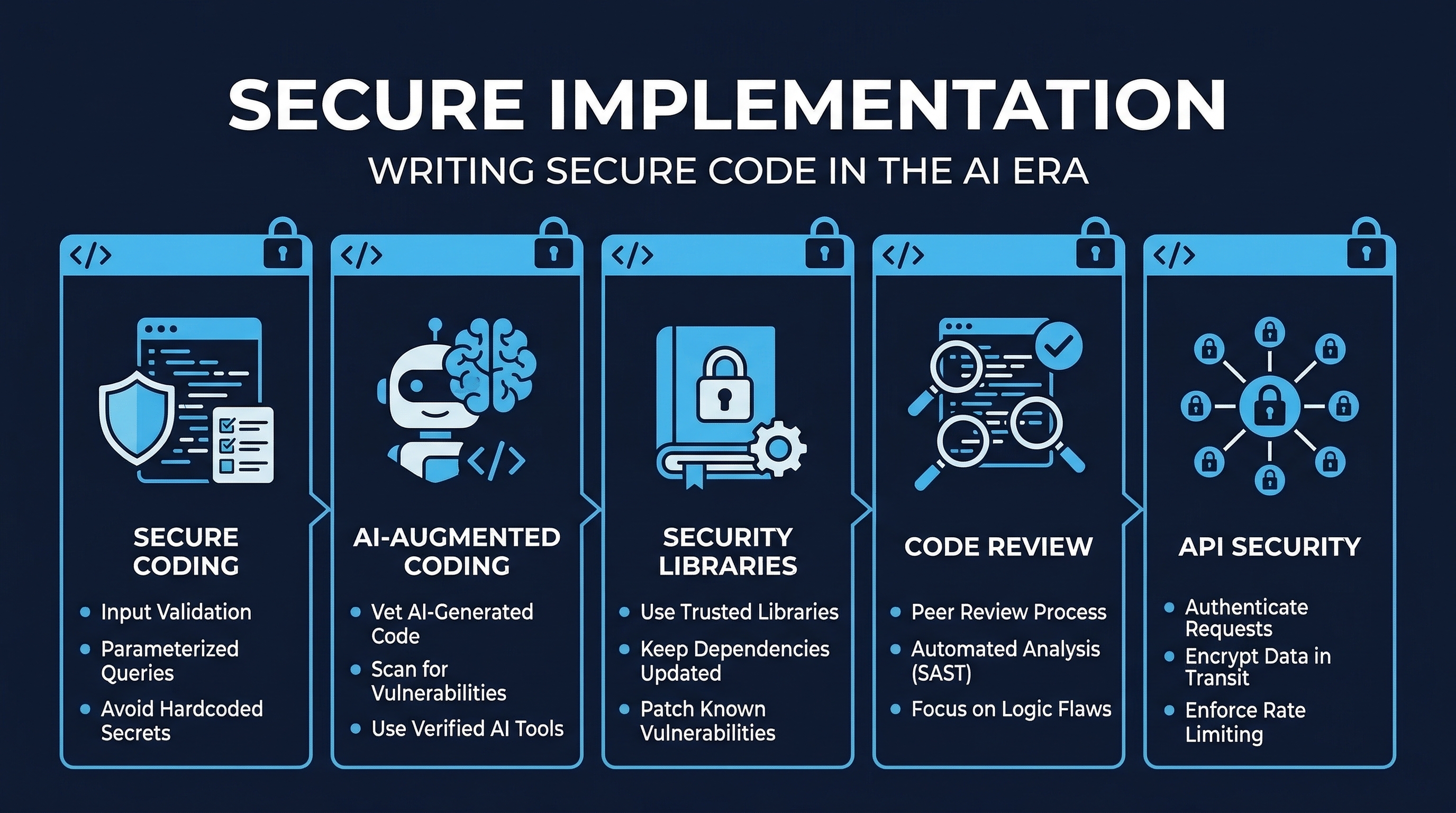 Figure: Secure Implementation Overview — Track 3 coverage of secure coding, AI-augmented development, and code review
1. CIS Control 16.9 — Train Developers in Application Security
CIS Control 16.9 is classified at Implementation Group 2 (IG2), meaning it applies to any organization with moderate risk tolerance — not just enterprises. The control states:
Ensure all software development personnel receive training in writing secure code for their specific development environment and responsibilities. Training can include general security principles and application security standard practices. Conduct training at least annually and design training to promote security awareness, not just compliance.
Key Requirements
All development personnel: This is not limited to “security engineers” or “senior developers.” Every person who writes, reviews, or deploys code must receive secure coding training. This includes:
- Full-time developers
- DevOps/SRE engineers who write infrastructure-as-code
- QA engineers who write test automation
- Data engineers and data scientists writing production pipelines
- Contractors and offshore teams with code commit access
Environment-specific: Generic “secure coding” training is insufficient. Training must be tailored to the actual technology stack in use. A team writing Go microservices needs different training than a team maintaining a legacy Java monolith. A team using React needs to understand DOM-based XSS; a team writing APIs needs to understand BOLA/BFLA patterns.
Annual minimum: At least once per year, with refresher training when:
- New frameworks or languages are adopted
- Major vulnerability classes emerge (e.g., Log4Shell prompted immediate Java training)
- Post-incident reviews reveal training gaps
- AI coding tools are introduced or their capabilities significantly change
Promote security culture: The goal is internalization, not checkbox compliance. Developers should think about security as a quality attribute of every line of code, not as something that “the security team handles.” This means:
- Integrating security into sprint retrospectives
- Celebrating caught vulnerabilities during code review
- Making security metrics visible at the team level
- Rewarding developers who identify and fix security debt
2. CIS Control 16.10 — Apply Secure Design Principles
CIS Control 16.10 is also IG2 and states:
Apply secure design principles in application architectures. Secure design principles include the concept of least privilege and enforcing mediation to validate every operation that the user makes, promoting the concept of “never trust user input.” Examples include ensuring that explicit error checking is performed and documented for all input, including for size, data type, and acceptable ranges or formats. Secure design also means minimizing the application infrastructure attack surface, such as turning off unprotected ports and services, removing unnecessary programs and files, and renaming or removing default accounts.
The Five Pillars of Secure Design
Least Privilege: Every component, process, user, and service account operates with the minimum permissions necessary to complete its function. No more, no less. This applies at every layer:
- Database accounts with SELECT-only where writes are not needed
- Service accounts scoped to specific API endpoints
- File system permissions restricted to required directories
- Container processes running as non-root users
- IAM roles with narrowly scoped policies
Mediation (Validate Every Operation): Every request must be authorized at the point of access. Do not assume that because a user passed authentication, they are authorized for any specific operation. Do not assume that because a user was authorized for operation A, they are authorized for operation B. Check every time, on every request, server-side.
Never Trust User Input: All data originating from outside your trust boundary is potentially malicious. This includes:
- Form fields and query parameters
- HTTP headers (including cookies, User-Agent, Referer)
- File uploads
- API request bodies
- Data from other services (they may be compromised)
- Data from your own database (it may have been poisoned)
- Environment variables in shared environments
Explicit Error Checking: Every operation that can fail must have its failure mode explicitly handled. This means:
- Checking return values from every function call
- Catching and handling exceptions at appropriate layers
- Validating that operations completed successfully before proceeding
- Never silently swallowing errors
- Logging failures with sufficient context for investigation
Attack Surface Minimization: Reduce the number of entry points an attacker can target:
- Disable unused ports, protocols, and services
- Remove default accounts and sample applications
- Strip development/debug endpoints from production
- Minimize exposed API surface area
- Use network segmentation to limit blast radius
3. OWASP Secure Coding Practices — All 14 Areas
The OWASP Secure Coding Practices Quick Reference Guide defines 14 areas of secure coding practice. Every developer must understand and apply all 14.
3.1 Input Validation
Input validation is the first line of defense against injection attacks, buffer overflows, and logic flaws.
Core Principles:
- Whitelist over blacklist: Define what IS allowed, not what IS NOT allowed. Blacklists are always incomplete. A whitelist for a phone number field (
^\+?[0-9\-\s\(\)]{7,20}$) is far more secure than a blacklist that tries to block every possible injection character. - Server-side validation is mandatory: Client-side validation is a UX feature, not a security control. An attacker bypasses client-side validation with a single cURL command.
- Validate type, length, format, and range: A “quantity” field should be validated as an integer, between 1 and 9999, matching
^[0-9]{1,4}$. Not just “is it a number?” - Canonicalize before validation: Convert input to a standard form before validating. URL-encoded, double-encoded, Unicode-encoded, and mixed-encoding bypasses are common.
- Validate all data sources: Not just user-supplied form data. Validate data from databases, APIs, files, environment variables, and third-party services.
Anti-patterns:
# WRONG: Blacklist approach
def sanitize(input):
    dangerous = ["<script>", "DROP TABLE", "' OR '1'='1"]
    for d in dangerous:
        input = input.replace(d, "")
    return input

# RIGHT: Whitelist with strict validation
def validate_username(username: str) -> str:
    if not re.match(r'^[a-zA-Z0-9_]{3,32}$', username):
        raise ValidationError("Invalid username format")
    return username
3.2 Output Encoding
Output encoding prevents injection into the rendering context. The encoding scheme must match the output context.
Context-specific encoding:
| Context | Encoding | Example |
|---|---|---|
| HTML body | HTML entity encoding | < becomes < |
| HTML attribute | HTML attribute encoding | " becomes " |
| JavaScript | JavaScript hex encoding | ' becomes \x27 |
| URL parameter | Percent encoding | becomes %20 |
| CSS value | CSS hex encoding | ( becomes \28 |
| LDAP DN | LDAP DN encoding | , becomes \2C |
| LDAP filter | LDAP filter encoding | * becomes \2A |
| XML | XML entity encoding | & becomes & |
Critical rule: Never use a single “sanitize” function for all contexts. HTML-encoding data that will be placed in a JavaScript context does NOT prevent XSS. Each context requires its own encoding.
// WRONG: One encoding for all contexts
const safe = htmlEncode(userInput);
element.innerHTML = safe;                    // Works for HTML body
scriptTag.textContent = safe;                // WRONG for JS context
link.href = "https://example.com?q=" + safe; // WRONG for URL context

// RIGHT: Context-specific encoding
element.textContent = userInput;                          // DOM API handles HTML context
const jsValue = JSON.stringify(userInput);                // JSON for JS context
link.href = "https://example.com?q=" + encodeURIComponent(userInput); // URL encoding
3.3 Authentication and Password Management
Requirements:
- Store passwords using salted, adaptive hashing: Argon2id (preferred), bcrypt (cost factor 12+), or scrypt. Never MD5, SHA-1, SHA-256 without salt, or any fast hash.
- Enforce MFA for all privileged accounts, offer MFA for all accounts
- Implement account lockout after 5-10 failed attempts with progressive delays
- Use constant-time comparison for all credential checks to prevent timing attacks
- Never reveal whether a username or email exists during login failure (“Invalid credentials” not “User not found”)
- Rotate credentials on any suspected compromise
- Enforce minimum password complexity: 12+ characters, check against breached password databases (Have I Been Pwned API)
3.4 Session Management
Requirements:
- Generate session tokens using cryptographically secure random number generators (minimum 128 bits of entropy)
- Rotate session IDs after authentication (prevent session fixation)
- Set cookie flags:
Secure,HttpOnly,SameSite=Strict(orLaxwhere cross-site navigation is needed) - Implement absolute timeouts (e.g., 8 hours) and idle timeouts (e.g., 30 minutes)
- Invalidate sessions server-side on logout (do not rely on client-side cookie deletion)
- Do not expose session tokens in URLs, logs, or error messages
3.5 Access Control
Requirements:
- Deny by default: if a permission is not explicitly granted, it is denied
- Enforce access control on every request, server-side
- Use centralized access control routines; do not scatter authorization logic across endpoints
- Restrict access to protected URLs, functions, object references, services, application data, attributes, and policy information
- If state data must be stored on the client, use tamper-proof mechanisms (signed tokens, server-side verification)
- Enforce application logic flows: prevent skipping steps in multi-step processes
3.6 Cryptographic Practices
Requirements:
- Use only approved, well-vetted cryptographic algorithms: AES-256-GCM for symmetric encryption, RSA-2048+ or Ed25519 for asymmetric, SHA-256+ for hashing
- Never implement custom cryptographic algorithms or protocols
- Use cryptographically secure random number generators for all security-relevant randomness
- Store cryptographic keys securely: HSMs, KMS, or encrypted key stores. Never in source code, environment variables visible in process lists, or unencrypted config files
- Implement key rotation and deprecation procedures
- Use authenticated encryption modes (GCM, CCM) rather than unauthenticated modes (CBC, CTR alone)
3.7 Error Handling and Logging
Requirements:
- Never expose sensitive data in error messages: no stack traces, database errors, internal paths, or configuration details in production
- Implement centralized error handling to prevent inconsistent error responses
- Log security-relevant events: authentication success/failure, authorization failures, input validation failures, application errors, configuration changes
- Ensure logs are tamper-evident: forward to a centralized logging system, use append-only storage, or cryptographically sign log entries
- Never log sensitive data: passwords, session tokens, PII, credit card numbers, API keys
- Free allocated resources on error conditions to prevent resource exhaustion
3.8 Data Protection
Requirements:
- Classify data by sensitivity: public, internal, confidential, restricted
- Encrypt all sensitive data in transit (TLS 1.2+) and at rest (AES-256)
- Minimize data collection: only collect what is necessary for the business function
- Implement data retention and disposal policies
- Remove unnecessary data from HTTP responses (strip server headers, debug info)
- Do not cache sensitive data on the client side (
Cache-Control: no-store) - Implement appropriate access controls for all data stores
3.9 Communication Security
Requirements:
- Enforce TLS 1.2 or higher for all connections transmitting sensitive data
- Validate TLS certificates: check chain of trust, expiration, hostname match, and revocation status
- Implement HSTS (HTTP Strict Transport Security) with appropriate max-age
- Use certificate pinning for mobile applications and high-security API clients
- Disable insecure cipher suites and protocols (SSLv3, TLS 1.0, TLS 1.1, RC4, DES, 3DES)
- Use separate TLS certificates for different trust domains
3.10 System Configuration
Requirements:
- Apply the principle of least privilege to all system components
- Disable or remove unnecessary features, services, ports, and protocols
- Remove or change all default credentials before deployment
- Remove all sample, test, and backup files from production
- Implement a change management process for production configuration
- Automate configuration through infrastructure-as-code with security baselines
3.11 Database Security
Requirements:
- Use parameterized queries (prepared statements) for ALL database interactions. No exceptions. No “it’s just an internal query.”
- Use least-privilege database accounts: separate accounts for read-only, read-write, and administrative operations
- Disable default database accounts and change default ports
- Enable database audit logging for security-relevant operations
- Encrypt database connections (TLS) even within internal networks
- Validate and sanitize stored procedures and dynamic SQL generation
# WRONG: String concatenation (SQL injection)
query = f"SELECT * FROM users WHERE id = {user_id}"

# WRONG: String formatting (still SQL injection)
query = "SELECT * FROM users WHERE id = %s" % user_id

# RIGHT: Parameterized query
cursor.execute("SELECT * FROM users WHERE id = %s", (user_id,))
3.12 File Management
Requirements:
- Validate file types by content inspection (magic bytes), not just extension
- Scan uploaded files for malware before processing
- Restrict upload storage to locations outside the web root
- Generate random file names for stored uploads; never use user-supplied names
- Restrict file path access to prevent directory traversal (
../../etc/passwd) - Set strict file permissions on upload directories
- Limit file sizes at the web server, application server, and application level
3.13 Memory Management
Requirements:
- Perform bounds checking on all buffer operations
- Use safe string functions:
strncpyoverstrcpy,snprintfoversprintf - Properly free allocated memory and nullify pointers after free (prevent use-after-free)
- Use modern language features or libraries that provide memory safety (Rust, Go, Java, C# — or use smart pointers in C++)
- Test with memory analysis tools: Valgrind, AddressSanitizer, MemorySanitizer
- Avoid using known-vulnerable functions:
gets(),scanf()with%s,strcpy(),strcat()
3.14 General Coding Practices
Requirements:
- Use tested, approved managed code rather than creating new unmanaged code
- Check return values from all function calls and system operations
- Use task-specific built-in APIs rather than building custom implementations
- Review all secondary applications, third-party code, and libraries for security before integration
- Avoid using unsafe functions documented on language-specific ban lists
- Implement safe updating mechanisms that use signed packages and encrypted channels
4. CWE Top 25 Most Dangerous Software Weaknesses (2025)
The Common Weakness Enumeration Top 25 represents the most dangerous software weaknesses based on prevalence and severity data. Every developer must be able to recognize and prevent these.
| Rank | CWE ID | Name |
|---|---|---|
| 1 | CWE-79 | Improper Neutralization of Input During Web Page Generation (Cross-site Scripting / XSS) |
| 2 | CWE-787 | Out-of-bounds Write |
| 3 | CWE-89 | Improper Neutralization of Special Elements used in an SQL Command (SQL Injection) |
| 4 | CWE-352 | Cross-Site Request Forgery (CSRF) |
| 5 | CWE-22 | Improper Limitation of a Pathname to a Restricted Directory (Path Traversal) |
| 6 | CWE-125 | Out-of-bounds Read |
| 7 | CWE-78 | Improper Neutralization of Special Elements used in an OS Command (OS Command Injection) |
| 8 | CWE-416 | Use After Free |
| 9 | CWE-862 | Missing Authorization |
| 10 | CWE-434 | Unrestricted Upload of File with Dangerous Type |
| 11 | CWE-94 | Improper Control of Generation of Code (Code Injection) |
| 12 | CWE-20 | Improper Input Validation |
| 13 | CWE-77 | Improper Neutralization of Special Elements used in a Command (Command Injection) |
| 14 | CWE-287 | Improper Authentication |
| 15 | CWE-269 | Improper Privilege Management |
| 16 | CWE-502 | Deserialization of Untrusted Data |
| 17 | CWE-200 | Exposure of Sensitive Information to an Unauthorized Actor |
| 18 | CWE-863 | Incorrect Authorization |
| 19 | CWE-918 | Server-Side Request Forgery (SSRF) |
| 20 | CWE-119 | Improper Restriction of Operations within the Bounds of a Memory Buffer |
| 21 | CWE-476 | NULL Pointer Dereference |
| 22 | CWE-798 | Use of Hard-coded Credentials |
| 23 | CWE-190 | Integer Overflow or Wraparound |
| 24 | CWE-306 | Missing Authentication for Critical Function |
| 25 | CWE-362 | Concurrent Execution using Shared Resource with Improper Synchronization (Race Condition) |
Training Priority
Focus training resources on the weaknesses most relevant to your technology stack:
- Web application teams: CWE-79, CWE-89, CWE-352, CWE-22, CWE-862, CWE-434, CWE-918
- Systems/embedded teams: CWE-787, CWE-125, CWE-416, CWE-119, CWE-476, CWE-190, CWE-362
- API development teams: CWE-862, CWE-863, CWE-287, CWE-306, CWE-918, CWE-200
- All teams: CWE-78, CWE-94, CWE-20, CWE-502, CWE-798
5. CERT Secure Coding Standards by Language
The Software Engineering Institute (SEI) at Carnegie Mellon University publishes CERT Secure Coding Standards for multiple languages. These are authoritative, peer-reviewed standards.
CERT C Secure Coding Standard (SEI CERT C)
Critical rules include:
- ARR30-C: Do not form or use out-of-bounds pointers or array subscripts
- STR31-C: Guarantee that storage for strings has sufficient space for character data and the null terminator
- MEM30-C: Do not access freed memory
- INT32-C: Ensure that operations on signed integers do not result in overflow
- FIO30-C: Exclude user input from format strings
- ENV33-C: Do not call system() (use exec family instead)
- MSC33-C: Do not pass invalid data to the asctime() function
CERT C++ Secure Coding Standard
Key additions to C rules:
- CTR50-CPP: Guarantee that container indices and iterators are within valid range
- STR50-CPP: Guarantee that storage for strings has sufficient space
- MEM50-CPP: Do not access freed memory
- OOP50-CPP: Do not invoke virtual functions from constructors or destructors
- ERR50-CPP: Do not abruptly terminate the program (use structured exception handling)
CERT Java Secure Coding Standard
- IDS00-J: Prevent SQL injection (use PreparedStatement)
- IDS01-J: Normalize strings before validating them
- SEC00-J: Do not allow privileged blocks to leak sensitive information across a trust boundary
- SER00-J: Enable serialization compatibility during class evolution
- FIO00-J: Do not operate on files in shared directories
- OBJ01-J: Limit accessibility of fields (prefer private)
- ERR00-J: Do not suppress or ignore checked exceptions
6. Language-Specific Security Considerations
Python
- Use
secretsmodule for cryptographic randomness, neverrandom - Use parameterized queries with DB-API 2.0 (
cursor.execute(sql, params)) - Avoid
eval(),exec(),pickle.loads()with untrusted data - Use
subprocesswithshell=Falseand argument lists, neveros.system() - Be aware of YAML deserialization attacks: use
yaml.safe_load()notyaml.load() - Pin dependencies with hashes (
pip install --require-hashes) - Use type hints with runtime validation (Pydantic, attrs) for input boundaries
JavaScript / TypeScript
- Use
===(strict equality) to prevent type coercion attacks - Sanitize HTML with DOMPurify, never
innerHTMLwith user content - Use
Content-Security-Policyheaders to mitigate XSS - Avoid
eval(),new Function(),setTimeout(string),setInterval(string) - Use
crypto.randomUUID()orcrypto.getRandomValues()for secure randomness - Validate all input with Zod, Joi, or similar schema validators
- Enable TypeScript strict mode for type safety at compile time
- Audit npm packages for known vulnerabilities (
npm audit) - Be aware of prototype pollution attacks
Java
- Use
PreparedStatementfor all SQL; never concatenate strings into queries - Disable XML external entity processing (XXE): set
FEATURE_SECURE_PROCESSING - Use
java.security.SecureRandomfor cryptographic randomness - Avoid Java serialization with untrusted data; prefer JSON with schema validation
- Apply
SecurityManagerpolicies for sandboxed execution - Use
java.nio.file.Pathwith normalization for file access - Apply the principle of least privilege in JPMS module declarations
Go
- Use
html/template(auto-escaping) nottext/templatefor HTML output - Use
crypto/randfor randomness, nevermath/randin security contexts - Use
database/sqlwith parameterized queries - Handle all errors explicitly; Go returns errors, it does not throw them
- Use
filepath.Clean()andfilepath.Join()for path operations, validate results are within allowed directories - Avoid
unsafepackage unless absolutely necessary with explicit justification - Use
net/httptimeout settings to prevent slow-loris attacks
Rust
- Leverage the ownership system and borrow checker — Rust prevents use-after-free, double-free, and data races at compile time
- Minimize
unsafeblocks; everyunsafeblock must have a safety comment explaining the invariant - Use
ringorrustcryptocrates for cryptography - Validate all inputs at system boundaries, even though type safety handles internal boundaries
- Use
sqlxwith compile-time query checking for database access - Audit dependencies with
cargo audit - Use
secrecycrate for sensitive values (prevents accidental logging)
C / C++
- Use AddressSanitizer, MemorySanitizer, and UndefinedBehaviorSanitizer in CI
- Prefer
std::string,std::vector,std::arrayover raw arrays and pointers (C++) - Use smart pointers (
std::unique_ptr,std::shared_ptr) instead of rawnew/delete - Enable compiler warnings:
-Wall -Wextra -Werror -Wformat=2 -Wformat-security - Use static analysis tools: Coverity, Clang Static Analyzer, cppcheck
- Implement ASLR, stack canaries, and DEP/NX in build flags
- Follow the NASA/JPL Power of Ten coding rules for safety-critical systems
7. AI-Generated Code Security Data
AI-assisted coding introduces a new risk dimension. The data from 2024-2025 research is clear and concerning.
Veracode 2025 State of Software Security
Veracode analyzed millions of scans and found:
- AI-generated code contains 2.74 times more vulnerabilities than human-written code
- 45% of AI-generated code fails security testing on first scan
- Java AI-generated code has a 72% security failure rate — the highest of any language
- Python, C#, and JavaScript AI-generated code fails at 38-45%
- In AI-generated samples: 86% contain XSS vulnerabilities, 88% contain log injection, 20% contain SQL injection
CodeRabbit AI Code Review Analysis
CodeRabbit’s analysis of thousands of pull requests found:
- AI-generated PRs average 10.83 issues versus 6.45 issues for human-written PRs
- AI code shows 1.88x higher rate of improper password handling
- AI code shows 2.74x higher rate of cross-site scripting
- AI code shows 1.82x higher rate of insecure deserialization
- AI code shows higher rates of path traversal, insecure randomness, and information exposure
Stanford University Research
A Stanford study found that developers using AI assistance:
- Wrote code that was less secure than developers working without AI
- Expressed greater confidence in the security of their code
- Were more likely to believe they had addressed all security concerns
This is the most dangerous finding: AI assistance creates a false sense of security. Developers trust AI output more than they should, reduce their own vigilance, and produce worse security outcomes as a result.
Root Causes of AI Code Insecurity
- Training data includes vulnerable code: LLMs learn from the internet, including millions of insecure code examples, outdated tutorials, and known-vulnerable patterns
- Optimization for functionality over security: AI models are rewarded for generating code that “works,” not code that is secure
- Missing context: AI lacks understanding of the deployment context, threat model, and security requirements of the specific application
- Pattern replication: AI tends to reproduce the most common patterns, and the most common patterns are not necessarily the most secure
- Lack of adversarial thinking: AI generates the “happy path” — it does not think like an attacker
8. Practical Secure Coding Examples and Anti-Patterns
Anti-Pattern: Mass Assignment
# VULNERABLE: Accepts any field from user input
@app.route('/api/users', methods=['POST'])
def create_user():
    user = User(**request.json)  # What if request includes "is_admin": true?
    db.session.add(user)
    db.session.commit()
    return jsonify(user.to_dict())

# SECURE: Explicit field whitelist
@app.route('/api/users', methods=['POST'])
def create_user():
    data = request.json
    user = User(
        username=validate_username(data.get('username')),
        email=validate_email(data.get('email')),
        # is_admin is never read from input
    )
    db.session.add(user)
    db.session.commit()
    return jsonify(user.to_dict())
Anti-Pattern: Insecure Direct Object Reference
// VULNERABLE: No authorization check
app.get('/api/invoices/:id', async (req, res) => {
  const invoice = await Invoice.findById(req.params.id);
  res.json(invoice); // Any authenticated user can read any invoice
});

// SECURE: Authorization enforced
app.get('/api/invoices/:id', async (req, res) => {
  const invoice = await Invoice.findById(req.params.id);
  if (!invoice) return res.status(404).json({ error: 'Not found' });
  if (invoice.ownerId !== req.user.id && !req.user.hasRole('billing_admin')) {
    return res.status(403).json({ error: 'Forbidden' });
  }
  res.json(invoice);
});
Anti-Pattern: Information Leakage in Errors
// VULNERABLE: Exposes internal details
try {
    connection = DriverManager.getConnection(dbUrl, dbUser, dbPass);
} catch (SQLException e) {
    return Response.status(500)
        .entity("Database error: " + e.getMessage()) // Leaks DB type, table names, query
        .build();
}

// SECURE: Generic error, detailed internal logging
try {
    connection = DriverManager.getConnection(dbUrl, dbUser, dbPass);
} catch (SQLException e) {
    String errorId = UUID.randomUUID().toString();
    logger.error("Database connection failed [errorId={}]: {}", errorId, e.getMessage());
    return Response.status(500)
        .entity(Map.of("error", "Internal server error", "errorId", errorId))
        .build();
}
9. Linting and Formatting Enforcement
Secure coding standards are only as effective as their enforcement. Manual discipline is insufficient. Enforcement must be automated and zero-tolerance.
Pre-commit Hooks
Use pre-commit framework to run checks before every commit:
# .pre-commit-config.yaml
repos:
  - repo: https://github.com/pre-commit/pre-commit-hooks
    rev: v4.6.0
    hooks:
      - id: detect-private-key
      - id: check-added-large-files
        args: ['--maxkb=1000']
      - id: check-merge-conflict

  - repo: https://github.com/gitleaks/gitleaks
    rev: v8.18.4
    hooks:
      - id: gitleaks

  - repo: https://github.com/PyCQA/bandit
    rev: 1.7.9
    hooks:
      - id: bandit
        args: ['-c', 'pyproject.toml']

  - repo: https://github.com/astral-sh/ruff-pre-commit
    rev: v0.6.0
    hooks:
      - id: ruff
        args: ['--select', 'S']  # Security-focused rules
      - id: ruff-format
CI Gates
Pre-commit hooks can be bypassed locally (--no-verify). CI gates cannot.
# CI pipeline security gate (GitHub Actions example)
security-scan:
  runs-on: ubuntu-latest
  steps:
    - uses: actions/checkout@v4
    - name: Run SAST
      run: |
        semgrep scan --config=auto --error
    - name: Run secrets detection
      run: |
        gitleaks detect --source . --verbose
    - name: Run dependency audit
      run: |
        pip-audit --strict
    - name: Run bandit
      run: |
        bandit -r src/ -c pyproject.toml -f json -o bandit-report.json
        if [ $? -ne 0 ]; then exit 1; fi
Zero Tolerance Policy
- Any SAST finding of severity HIGH or CRITICAL blocks the merge
- Any detected secret in the diff blocks the merge (no exceptions)
- Any dependency with a known CVE of CVSS 7.0+ blocks the merge
- Security gate failures cannot be overridden by individual developers
- Override requires documented approval from security team lead with a tracking ticket
10. Summary and Key Takeaways
-
CIS 16.9 and 16.10 are foundational: They mandate training for all developers and the application of secure design principles. This is not optional for IG2+ organizations.
-
OWASP Secure Coding Practices are comprehensive: All 14 areas must be addressed. Input validation and output encoding alone are insufficient.
-
The CWE Top 25 is your priority list: Focus training on the weaknesses most relevant to your technology stack.
-
AI-generated code is less secure than human code: 2.74x more vulnerabilities, 45% failure rate. Treat all AI output as untrusted code requiring full review and testing.
-
Enforcement must be automated: Pre-commit hooks, CI gates, and zero-tolerance policies. Manual discipline is necessary but insufficient.
-
Security is a skill, not a phase: It must be integrated into every line of code, every commit, every review, every deployment.
Lab Exercise
Exercise 3.1: Vulnerability Hunt
You will receive a 200-line application (provided in your language of choice) that contains at least 15 intentional security vulnerabilities spanning 8+ OWASP Secure Coding Practice areas. Your task:
- Identify all vulnerabilities, citing the specific OWASP practice area and CWE ID
- Write remediated code for each finding
- Run SAST tools (Semgrep, Bandit) against both original and remediated code
- Document any vulnerabilities the SAST tools missed (false negatives) and any false positives
- Configure a pre-commit hook that would have caught at least 10 of the 15 vulnerabilities
Time: 2 hours Deliverable: Vulnerability report with original code, remediated code, SAST results, and pre-commit configuration
Module 3.1 Complete. Next: Module 3.2 — AI-Augmented Coding
Study Guide
Key Takeaways
- CIS 16.9 requires all development personnel to receive secure coding training — Including DevOps, QA, data engineers, and contractors; environment-specific; annual minimum.
- All 14 OWASP Secure Coding Practice areas must be addressed — Input validation, output encoding, authentication, session management, access control, cryptography, error handling, data protection, communication, configuration, database, file management, memory management, and general practices.
- Whitelist over blacklist for input validation — Blacklists are always incomplete; whitelists define exactly what is allowed, blocking everything else by default.
- Output encoding must be context-specific — HTML body, HTML attribute, JavaScript, URL, CSS, and LDAP each require different encoding; a single sanitize function creates false security.
- AI-generated code contains 2.74x more vulnerabilities — 45% fails security testing on first scan; Stanford research shows AI creates false confidence in developers.
- Parameterized queries are non-negotiable — No string concatenation or formatting for SQL queries, regardless of context.
- Enforcement must be automated — Pre-commit hooks and CI gates with zero tolerance for high/critical findings and detected secrets.
Important Definitions
| Term | Definition |
|---|---|
| SAST | Static Application Security Testing — analyzes source code without executing it |
| SCA | Software Composition Analysis — scans dependencies for known vulnerabilities |
| Whitelist Validation | Defining what IS allowed (e.g., regex for phone numbers) rather than what is NOT allowed |
| Parameterized Query | Database query where user input is passed as parameters, preventing SQL injection |
| Taint Analysis | SAST technique tracking user-influenced data through the application to dangerous operations |
| CWE Top 25 | Common Weakness Enumeration ranking of the 25 most dangerous software weaknesses |
| Pre-commit Hook | Automated check that runs before every commit, blocking commits that fail security checks |
| Zero Tolerance Policy | Any SAST high/critical, detected secret, or critical CVE in dependencies blocks the merge |
Quick Reference
- Framework/Process: CIS 16.9 (training) and 16.10 (design principles); OWASP 14 secure coding areas; CWE Top 25 (2025); CERT Secure Coding Standards by language
- Key Numbers: 2.74x more vulnerabilities in AI code; 45% AI code fails first scan; 86% AI code contains XSS; CWE-79 (XSS) is #1; bcrypt cost factor 12+; session tokens minimum 128 bits entropy
- Common Pitfalls: Using
randominstead ofsecretsfor security;yaml.load()instead ofyaml.safe_load();eval()/exec()with untrusted data;subprocesswithshell=True; catching all exceptions silently; trusting client-side validation
Review Questions
- Why does AI-generated code having a higher vulnerability rate combined with increased developer confidence represent the most dangerous finding from the Stanford research?
- Why must output encoding be context-specific rather than using a single sanitization function?
- What CWE weaknesses should web application teams prioritize versus API development teams?
- How do pre-commit hooks and CI gates complement each other in enforcing secure coding standards?
- What are the language-specific security considerations for your primary development language that differ from generic secure coding guidance?