3.2 — AI-Augmented Coding
Listen instead
Learning Objectives
- ✓ Assess the security profiles of major AI coding tools and select appropriate configurations
- ✓ Apply the OpenSSF Security-Focused Guide principles when using AI code generation
- ✓ Construct prompts that produce more secure code output and implement the RCI pattern
- ✓ Identify and avoid the six critical anti-patterns of AI-assisted development
- ✓ Implement a complete trust-but-verify workflow for AI-generated code
- ✓ Navigate the legal and IP landscape of AI-generated code
1. The Current AI Coding Landscape
AI-assisted coding is no longer emerging technology — it is standard practice. The data from 2025 tells the story:
- 85% of professional developers use AI coding tools at least occasionally (JetBrains Developer Survey 2025)
- 42% of new code in enterprise environments is AI-generated or AI-assisted (GitHub Octoverse 2025)
- ~30% of GitHub Copilot suggestions are accepted by developers (Microsoft internal data)
- 97% of developers report having used AI in their development workflow at some point
- 76% of organizations allow or encourage AI coding tool usage
This adoption rate means that secure AI-assisted development is not a niche concern — it is a core competency. Every developer must know how to use these tools safely, and every organization must have policies governing their use.
The Fundamental Tension
AI coding tools optimize for developer velocity. They are trained to generate code that compiles, runs, and produces the expected output. They are not primarily trained to generate code that is secure, performant, maintainable, or compliant. This creates a fundamental tension:
- Speed vs. Security: AI generates code 40-60% faster, but with 2.74x more vulnerabilities
- Convenience vs. Control: AI handles boilerplate, but developers lose fine-grained understanding
- Confidence vs. Competence: Developers using AI report higher confidence in lower-quality code
- Productivity vs. Provenance: AI accelerates output, but with uncertain licensing and attribution
The goal of this module is not to prohibit AI coding tools. They provide genuine productivity benefits. The goal is to establish the guardrails, workflows, and mindset necessary to capture the benefits while managing the risks.
2. Tool-Specific Security Profiles
Not all AI coding tools are created equal from a security perspective. Each has distinct risk characteristics.
GitHub Copilot
Overview: The most widely adopted AI coding assistant, integrated into VS Code, JetBrains IDEs, Neovim, and Visual Studio. Powered by OpenAI Codex models.
Security Profile:
- Code quality: Analysis shows 29.1% of Python code generated by Copilot contains security weaknesses (CWE patterns)
- Secret leakage: Copilot-generated code demonstrates 6.4% secret leakage rate, which is 40% above the baseline for human-written code. This means Copilot sometimes suggests API keys, connection strings, and tokens in generated code
- CVE-2025-53773: A critical vulnerability discovered in Copilot’s VS Code extension that allowed remote code execution via prompt injection. An attacker could craft repository content (in markdown files, comments, or code) that, when processed by Copilot, would execute arbitrary commands on the developer’s machine
- “Affirmation Jailbreak”: Researchers demonstrated that Copilot’s safety filters can be bypassed by prefacing prompts with positive affirmations. This technique caused Copilot to generate code patterns it was designed to refuse, including credential harvesting and data exfiltration routines
- Data handling: Copilot Business/Enterprise tiers do not use customer code for model training. Individual tier does retain telemetry data
Configuration recommendations:
- Use Copilot Business or Enterprise tier (never Individual for organizational code)
- Enable content exclusion filters for sensitive repositories
- Disable Copilot in files that handle secrets, cryptographic operations, or authentication logic
- Review every suggestion before acceptance — never auto-accept in security-sensitive contexts
Tabnine
Overview: AI code assistant with a strong focus on privacy and enterprise deployment.
Security Profile:
- Privacy-first architecture: Zero data retention policy — code context is processed and discarded, never stored or used for training
- Local model execution: Enterprise tier supports running the AI model entirely on-premises or in the customer’s VPC. No code ever leaves the network perimeter
- Ethically sourced training data: Trained only on code with permissive open-source licenses, reducing IP contamination risk
- Security scanning: Includes built-in vulnerability detection in suggestions
Configuration recommendations:
- Deploy on-premises model for environments handling classified or regulated data
- Enable all built-in security scanning features
- Still apply the same code review rigor as any other AI tool — privacy does not equal security
Amazon CodeWhisperer / Q Developer
Overview: Amazon’s AI coding assistant, deeply integrated with AWS services.
Security Profile:
- Built-in security scanning: Automatically scans generated code for vulnerabilities aligned with OWASP Top 10, CWE Top 25, and AWS security best practices
- AWS Well-Architected integration: Suggestions align with AWS Well-Architected security pillar when working with AWS services
- Reference tracking: Flags when generated code closely matches training data, providing the open-source license for review
- Data handling: Professional tier does not use customer code for training
Configuration recommendations:
- Enable security scan on all generated code
- Pay attention to reference tracking alerts — review license implications
- Be cautious with IAM policy suggestions — they tend to be over-permissive
Cursor
Overview: AI-first code editor built on VS Code, with deep AI integration including Agent mode.
Security Profile:
- Config file injection attacks: Researchers demonstrated that
.cursor/rulesfiles and.cursorrulesfiles in repositories can contain hidden instructions (using Unicode directives, zero-width characters, or obfuscated prompts) that alter Cursor’s behavior. When a developer clones a repository containing a malicious rules file, Cursor silently follows the embedded instructions, potentially introducing backdoors, exfiltrating code, or modifying security controls - Privacy mode: Available but must be explicitly enabled. When disabled, code context is transmitted to Cursor’s servers and to model providers (Anthropic, OpenAI)
- Agent mode attack surface: Cursor’s Agent mode can execute terminal commands, modify files, and browse the web. A compromised prompt or malicious rules file could leverage Agent mode for arbitrary code execution
Configuration recommendations:
- Enable Privacy Mode for all organizational work
- Audit
.cursorrulesand.cursor/rulesfiles in all cloned repositories before opening in Cursor - Restrict Agent mode permissions — do not grant blanket terminal access
- Use allowlist-based tool permissions when available
Claude Code
Overview: Anthropic’s CLI-based AI coding agent with a structured permission model.
Security Profile:
- Three-tier permission system: Tools are classified as Deny, Ask, or Allow. Developers explicitly configure which operations Claude Code can perform autonomously and which require human approval
- Deny/Ask/Allow rules: File operations, terminal commands, and network access are independently controlled. Default configuration requires human approval for destructive operations
- CLAUDE.md instruction files: Repository-level and user-level instruction files that persist context. These files should be reviewed for injection when cloning repositories, similar to
.cursorrules - Audit trail: All operations are logged with the tool used, parameters, and outcome
Configuration recommendations:
- Start with restrictive permissions (most tools in Ask mode) and relax based on demonstrated safety
- Review CLAUDE.md files in cloned repositories
- Use project-level deny rules for sensitive directories and operations
- Monitor the audit trail for unexpected operations
3. OpenSSF Security-Focused Guide for AI Code Generation
In September 2025, the Open Source Security Foundation (OpenSSF) published the “Security-Focused Guide for the Use of AI in Software Development,” developed by a coalition led by Microsoft, Google, and Red Hat. This guide establishes five foundational principles.
Principle 1: The Developer Remains Fully Responsible
The developer is responsible for ALL code, including AI-generated code.
There is no “the AI did it” defense. When AI-generated code introduces a vulnerability that leads to a breach, the developer who accepted the code, the reviewer who approved it, and the organization that deployed it bear responsibility. This principle has legal, ethical, and practical dimensions:
- Legal: Software liability frameworks do not distinguish between human-written and AI-generated code. Negligence standards apply equally.
- Ethical: Users trust that software is produced with due care. That trust obligation does not transfer to an AI tool.
- Practical: AI tools have no accountability. They cannot be sued, disciplined, or required to remediate. Only humans can.
This means developers must understand every line of AI-generated code they accept. If you cannot explain what the code does, how it handles edge cases, and why it is secure, you must not accept it.
Principle 2: AI Code Is Not a Shortcut
AI-generated code is NOT a shortcut around code reviews, testing, static analysis, documentation, or version control.
Every process and control that applies to human-written code applies equally to AI-generated code. This includes:
- Full code review (with AI-generated tag for enhanced scrutiny)
- Complete unit, integration, and security test coverage
- SAST and DAST scanning
- Documentation of purpose, behavior, and security considerations
- Proper version control with meaningful commit messages
- License review and compliance checks
Organizations that weaken these processes for AI-generated code on the grounds of “speed” or “the AI already validated it” are increasing their risk, not reducing it.
Principle 3: Treat AI Code as Untrusted
Assume AI-generated code can have bugs, vulnerabilities, and other issues. Treat it as code from an untrusted external contributor.
This is the correct mental model. When you receive a pull request from an unknown external contributor, you:
- Review every line carefully
- Question design decisions
- Look specifically for hidden functionality or security issues
- Run full CI/CD pipeline including security scans
- Require multiple approvals
Apply this same level of scrutiny to AI-generated code. The AI is an untrusted contributor with a demonstrated track record of producing insecure code at rates 2.74x higher than human developers.
Principle 4: Use Recursive Criticism and Improvement
Use RCI: ask the AI to review and improve its own work.
The Recursive Criticism and Improvement (RCI) pattern is the single most effective technique for improving AI code quality. After generating code, explicitly ask the AI to:
- Review the code for security vulnerabilities
- Identify edge cases that are not handled
- Check for compliance with secure coding standards
- Suggest improvements
- Generate a revised version incorporating the improvements
Research shows that RCI reduces security defects in AI-generated code by 30-50%. It is not a replacement for human review, but it is a valuable pre-filtering step.
Principle 5: Role Prompting Does Not Improve Security
Do NOT tell the LLM it is a “security expert” — this does not reliably improve output quality.
This is a counterintuitive finding. Many prompt engineering guides recommend assigning the AI a role (“You are an expert security engineer…”). Research by the OpenSSF working group found that this:
- Does not reliably increase the security of generated code
- Can increase the AI’s confidence in its output without increasing quality
- May cause the AI to skip explanations it would otherwise provide (because “experts don’t need to explain basics”)
- Can trigger sycophantic behavior where the AI claims security properties that do not exist
Instead of role prompting, use explicit security constraints and requirements in your prompts (covered in Section 4).
4. Prompt Engineering for Secure Code
The quality and security of AI-generated code is heavily influenced by the prompt. Generic prompts produce generic (insecure) code. Security-conscious prompts produce meaningfully better output.
Explicit Security Constraints
Always include security requirements in the prompt, not as an afterthought but as a primary requirement.
# WEAK PROMPT
Write a function to authenticate users against a database.

# STRONG PROMPT
Write a user authentication function with these security requirements:
- Use parameterized queries for database access (no string concatenation)
- Hash comparison must use constant-time comparison (prevent timing attacks)
- Return generic error messages that do not reveal whether username or password failed
- Implement account lockout after 5 failed attempts with exponential backoff
- Log all authentication attempts (success and failure) with timestamp and source IP
- Do not log passwords or password hashes
- Use Argon2id for password hashing with minimum parameters: memory=65536, iterations=3, parallelism=4
- Session token must be generated using cryptographically secure random bytes (minimum 256 bits)
The difference in output quality between these two prompts is dramatic. The weak prompt will produce code that authenticates users. The strong prompt will produce code that authenticates users securely.
Defensive Prompting / Prompt Scaffolding
Structure prompts to guide the AI through security considerations before generating code.
Before writing the code, analyze:
1. What are the potential injection vectors for this function?
2. What happens with malformed, oversized, or empty input?
3. What error conditions can occur, and how should each be handled?
4. What data in this function is sensitive and must not appear in logs or errors?
5. What authorization checks must pass before this operation executes?

Now write the implementation, addressing each point above.
This forces the AI to “think through” security before generating code, producing output that addresses edge cases and attack vectors that it would otherwise ignore.
The CRISP Framework
A structured approach to prompt construction:
- C — Context: Describe the application, environment, threat model, and constraints
- R — Role: Define what the code does (not “you are an expert” — define the code’s role)
- I — Instructions: Specific functional and security requirements
- S — Specifications: Technical constraints, frameworks, libraries, coding standards
- P — Polish: Output format, error handling style, documentation requirements
Context: This is a financial services REST API handling PCI-regulated cardholder data.
The application runs in a containerized environment on AWS ECS behind an ALB.

Role: This function processes payment refund requests, validating the request
and updating the transaction record.

Instructions:
- Validate refund amount does not exceed original transaction
- Verify the requesting user has REFUND_WRITE permission on this merchant
- Mask card numbers in all log output (show last 4 only)
- Ensure idempotency using the request's idempotency key
- Return appropriate HTTP status codes for each failure mode

Specifications:
- Python 3.12, FastAPI, SQLAlchemy with async
- Follow PEP 8 and the project's existing error handling pattern
- Use the existing AuthorizationService for permission checks
- All database operations within a single transaction with rollback on failure

Polish:
- Include docstring with security considerations
- Include type hints on all parameters and return values
- Handle all exception types explicitly (no bare except)
Chain-of-Thought for Intermediate Reasoning
For complex security logic, ask the AI to reason through its approach before generating code:
I need an authorization middleware for our API. Before writing code:

1. List all the authorization checks that should occur on each request
2. Define the order of operations and short-circuit behavior
3. Identify what information should be logged for audit vs. what must be excluded
4. Describe how the middleware should behave for unauthenticated,
   authenticated-but-unauthorized, and fully-authorized requests

Then implement the middleware based on your analysis.
Custom Instruction Files
Most AI coding tools support project-level instruction files that persist security context across all interactions.
CLAUDE.md (Claude Code):
## Security Requirements
- All database queries MUST use parameterized queries. No exceptions.
- All user input MUST be validated using Pydantic models before processing.
- All API endpoints MUST include authorization checks. No endpoint is public
  unless explicitly documented as such in the OpenAPI spec.
- Error responses MUST NOT include stack traces, SQL errors, or internal paths.
- All cryptographic operations MUST use the project's CryptoService, not direct
  library calls.
- Secrets MUST be loaded from environment variables via the config module, never
  hardcoded.
.github/copilot-instructions.md (GitHub Copilot):
When generating code for this repository:
- Always use PreparedStatement for SQL in Java files
- Never generate code using System.out.println for logging — use SLF4J
- All REST endpoints must include @PreAuthorize annotations
- Input validation must use Jakarta Bean Validation annotations
- Never suggest disabling CSRF protection
.cursorrules (Cursor):
Security rules for this project:
- Use express-validator for all input validation
- Use helmet middleware on all Express applications
- Never use eval() or Function() constructor
- All routes must use the authMiddleware unless explicitly in the PUBLIC_ROUTES list
- Use crypto.randomUUID() for all ID generation
5. AGENTS.md and Repository-Level Security Policies
As AI coding agents gain autonomy (executing commands, modifying files, creating branches), repository-level security policies become critical.
AGENTS.md is an emerging convention for defining what AI agents can and cannot do in a repository:
# AGENTS.md

## Allowed Operations
- Read any file in the repository
- Modify files in src/ and tests/ directories
- Run test suites (npm test, pytest)
- Run linters (eslint, ruff)

## Prohibited Operations
- Modifying files in .github/workflows/ (CI/CD pipelines)
- Modifying files in infrastructure/ (Terraform, CloudFormation)
- Accessing or modifying .env files or any file matching *.secret.*
- Running database migration commands
- Pushing directly to main or release branches
- Installing new dependencies without human approval
- Modifying security-related configuration (CORS, CSP, auth, rate limits)

## Security Review Required
Any changes to:
- Authentication or authorization logic (src/auth/*)
- Cryptographic operations (src/crypto/*)
- Input validation schemas (src/validators/*)
- API route definitions (src/routes/*)
Must be flagged for security team review, regardless of who/what generated them.
6. Recursive Criticism and Improvement (RCI) Pattern
RCI is the most impactful technique for improving AI code security. It leverages the AI’s ability to critique its own output.
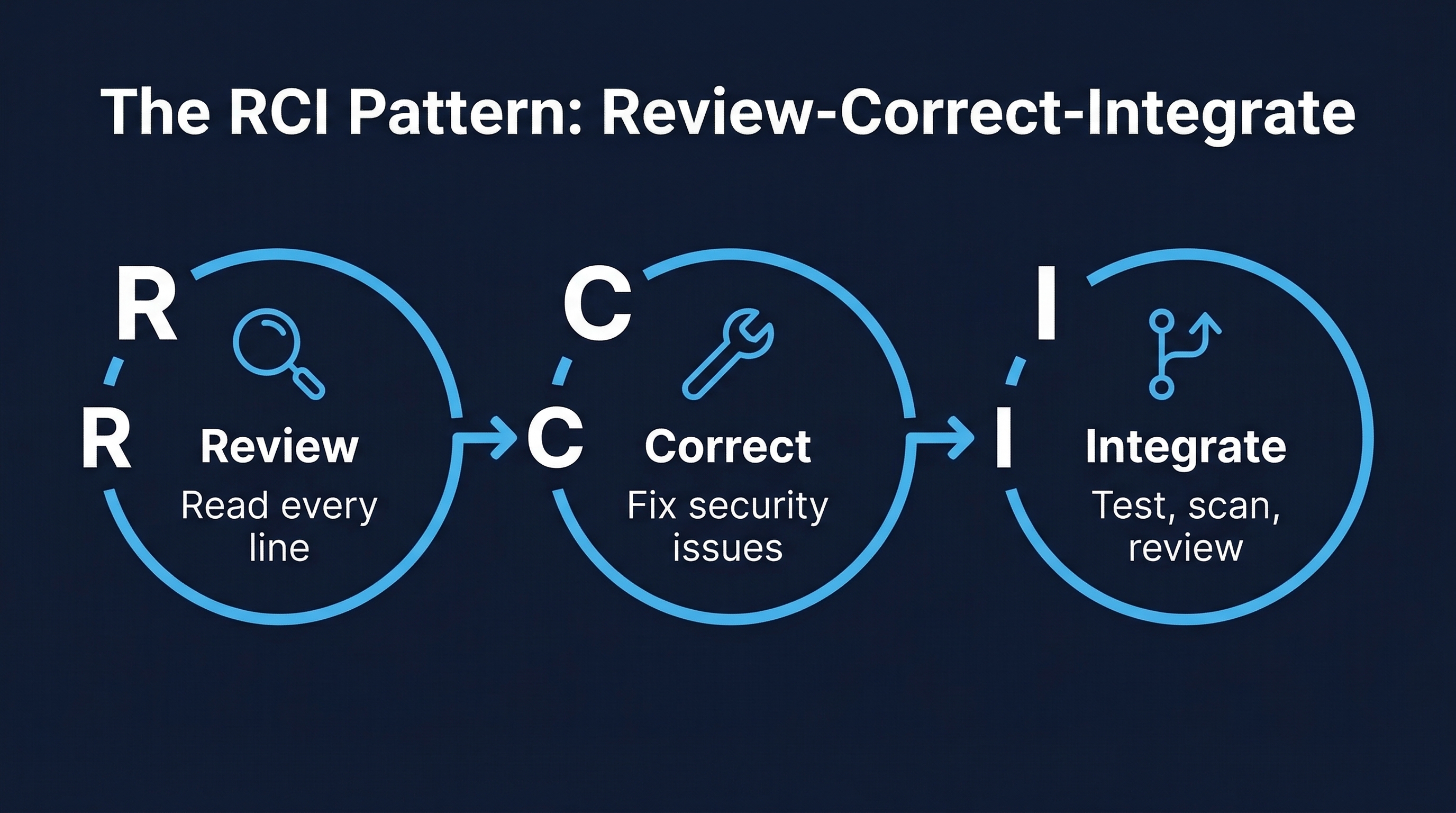 Figure: The RCI Pattern — Recursive Criticism and Improvement workflow for AI-generated code security
The RCI Workflow
Step 1: GENERATE
  → Prompt AI to generate code with explicit security constraints

Step 2: REVIEW
  → Ask AI: "Review this code for security vulnerabilities, referring to
    OWASP Top 10, CWE Top 25, and our project's security standards.
    List every issue found."

Step 3: IMPROVE
  → Ask AI: "Rewrite the code to address all identified vulnerabilities.
    Explain each change."

Step 4: SCAN
  → Run SAST tools (Semgrep, Bandit, ESLint security rules) on the output
  → Run SCA tools (npm audit, pip-audit) on any dependency changes

Step 5: REPEAT
  → If scans find issues, feed results back to AI and iterate
  → Maximum 3 iterations — if still failing, write manually

Step 6: HUMAN REVIEW
  → Human reviewer examines final output with full context
RCI in Practice
# Step 1: Generate
"Write a function that accepts a user-uploaded CSV file, parses it,
and inserts the records into a PostgreSQL database."

# Step 2: Review (after receiving generated code)
"Review the code you just generated against these security criteria:
1. Does it validate the file type beyond just the extension?
2. Does it limit the file size?
3. Does it use parameterized queries for all database inserts?
4. Does it handle malformed CSV data without crashing?
5. Does it prevent path traversal in the filename?
6. Does it sanitize cell values before database insertion?
7. Does it limit the number of rows to prevent resource exhaustion?
8. Does it handle encoding attacks (UTF-8 BOM, mixed encodings)?
List all issues found."

# Step 3: Improve
"Rewrite the function addressing all identified issues. For each change,
add a comment explaining the security rationale."
Research demonstrates that a single RCI cycle reduces security defects by 30-50%. Two cycles approach 60%. Three cycles show diminishing returns and may introduce new issues through over-optimization.
7. Anti-Patterns to Train Against
These six anti-patterns represent the most common and most dangerous mistakes developers make with AI coding tools.
Anti-Pattern 1: Blindly Accepting AI Suggestions Without Review
The behavior: Tab-completing through AI suggestions without reading them. Accepting autocomplete suggestions by muscle memory. Merging AI-generated code because “it passed the tests.”
The risk: AI-generated code has a 2.74x higher vulnerability rate. Blind acceptance imports these vulnerabilities at the speed of autocomplete.
The fix: Treat every AI suggestion as a pull request from a junior developer. Read it. Understand it. Question it. Only then accept it.
Anti-Pattern 2: Assuming AI Output Is “Good Enough” for Security-Sensitive Code
The behavior: Using AI to generate authentication logic, authorization checks, cryptographic operations, or input validation, and assuming the output is secure because “the AI knows this stuff.”
The risk: AI models are trained on the internet. The internet is full of insecure authentication tutorials, broken crypto implementations, and insufficient validation patterns. The AI reproduces what is common, not what is correct.
The fix: Never use AI-generated code for security-critical functions without expert review. For authentication, authorization, and cryptography, prefer established libraries and frameworks over AI-generated implementations.
Anti-Pattern 3: Using AI to Generate Security Controls Without Domain Expertise
The behavior: A developer without security expertise asks AI to “add security” to their application. They accept the output because they lack the knowledge to evaluate it.
The risk: AI-generated security controls are often superficial — they look right but miss critical details. A “rate limiter” that does not handle distributed scenarios. An “input validator” that checks format but not business logic constraints. An “encryption function” using an insecure mode.
The fix: Security controls must be designed or reviewed by someone with security domain expertise. AI can assist implementation, but humans must design and validate.
Anti-Pattern 4: Failing to Tag AI-Generated Code in Version Control
The behavior: Committing AI-generated code with no indication of its origin. The code blends into the codebase, indistinguishable from human-written code.
The risk: AI-generated code needs enhanced review scrutiny and may have licensing implications. Without tagging, reviewers cannot apply appropriate scrutiny, and legal teams cannot assess license exposure.
The fix: Tag AI-generated code in commit messages ([AI-assisted]), PR descriptions, and inline comments for significant generated blocks. Some organizations use git trailers: AI-Tool: copilot or AI-Generated: true.
Anti-Pattern 5: Sharing Proprietary Code/Secrets with Unapproved AI Tools
The behavior: Pasting proprietary code, API keys, or internal architecture details into public AI chat interfaces (ChatGPT, Claude web, etc.) that may retain data for training.
The risk: Proprietary code and secrets become part of the AI’s training data and may be reproduced for other users. Samsung famously experienced this when engineers pasted chip designs into ChatGPT.
The fix: Use only organization-approved AI tools with verified data handling policies. Never paste secrets into any AI tool. Use enterprise tiers with data retention guarantees.
Anti-Pattern 6: Disabling Security Scanning Because “AI Already Checked It”
The behavior: Bypassing SAST, SCA, or security review steps because the developer already asked the AI to review the code for security issues.
The risk: AI code review has significant blind spots. Copilot’s code review feature fails to detect common SQL injection, XSS, and insecure deserialization patterns. Relying on AI review alone leaves these vulnerabilities undetected.
The fix: AI review is additive, not substitutive. It augments traditional security tooling; it does not replace it. All existing security gates remain mandatory.
8. Trust but Verify Workflow
The complete workflow for AI-generated code acceptance:
┌─────────────────────────────────────────────────────────┐
│  1. AI GENERATES CODE                                   │
│     └─ With explicit security constraints in prompt     │
├─────────────────────────────────────────────────────────┤
│  2. RCI CYCLE (AI Self-Review)                          │
│     └─ Generate → Review → Improve (max 3 iterations)  │
├─────────────────────────────────────────────────────────┤
│  3. DEVELOPER REVIEWS                                   │
│     └─ Reads every line, understands logic,             │
│        questions design decisions                       │
├─────────────────────────────────────────────────────────┤
│  4. SAST/DAST SCAN                                      │
│     └─ Semgrep, Bandit, ESLint security rules,          │
│        OWASP ZAP for API endpoints                      │
├─────────────────────────────────────────────────────────┤
│  5. MUTATION TESTING                                    │
│     └─ Verify test suite actually catches failures      │
│        (Stryker, mutmut, PIT)                           │
├─────────────────────────────────────────────────────────┤
│  6. MANUAL SECURITY REVIEW                              │
│     └─ For security-sensitive code: auth, crypto,       │
│        authorization, input handling                    │
├─────────────────────────────────────────────────────────┤
│  7. LICENSE CHECK                                       │
│     └─ Verify no license-infringing code was generated  │
│        (reference tracking, FOSSA, Snyk)                │
├─────────────────────────────────────────────────────────┤
│  8. PEER REVIEW WITH AI TAG                             │
│     └─ PR marked as AI-generated/assisted               │
│        Minimum 2 approvals including CODEOWNER          │
│        Enhanced scrutiny for AI-tagged changes          │
└─────────────────────────────────────────────────────────┘
No step in this workflow is optional. Each addresses a specific risk that AI code generation introduces.
9. Training Data Leakage and IP Concerns
The legal landscape of AI-generated code is complex, rapidly evolving, and carries significant organizational risk.
Active Litigation
As of early 2026, there are 70+ active copyright lawsuits related to AI training data and generated output. Major cases include:
- Doe 1 et al. v. GitHub, Microsoft, OpenAI: Class action alleging Copilot reproduces licensed code without attribution, violating open-source license terms (GPL, MIT attribution requirements)
- Bartz v. Anthropic: Settled for $1.5 billion, establishing that training on copyrighted material without licensing creates actionable liability
- The New York Times v. Microsoft, OpenAI: While focused on text, the legal principles apply equally to code
- Getty Images v. Stability AI: Precedent-setting case for training data consent requirements
Regulatory Positions
US Copyright Office: Has taken the position that AI-generated content without meaningful human authorship cannot receive copyright protection. This means:
- Pure AI-generated code may not be copyrightable by the organization
- Competitors could freely use your AI-generated code if they can identify it
- The threshold for “meaningful human authorship” is still being defined through individual registration reviews
EU AI Act: Requires AI system providers to:
- Disclose training data sources
- Comply with copyright law for training data
- Implement transparency requirements for AI-generated content
- Applies to AI coding tools used within the EU
Code Provenance Challenges
There is currently no reliable mechanism for detecting whether AI-generated code infringes on third-party copyrights or licenses. Consider:
- AI tools are trained on billions of lines of code with various licenses (GPL, MIT, Apache, proprietary)
- Generated code may be a close paraphrase or functional equivalent of training data
- There is no “provenance chain” from generated code back to training sources
- Reference tracking tools (GitHub Copilot, Amazon Q) catch only near-exact matches, not functional equivalents
- An organization using AI-generated code could unknowingly introduce GPL-licensed code into a proprietary codebase, creating license contamination
Organizational Recommendations
- Establish an AI code usage policy that defines which tools are approved, for which repositories, and under what conditions
- Require AI-generated code tagging for license audit purposes
- Run license scanning tools (FOSSA, Snyk, Black Duck) on all codebases
- Consult legal counsel before using AI-generated code in products with IP sensitivity
- Maintain records of which AI tools were used, when, and for what — for future legal defensibility
- Consider insurance that covers AI-related IP claims
10. Practical Implementation Guide
Setting Up a Secure AI-Assisted Development Environment
Step 1: Tool Selection and Configuration
- Choose tools that match your organization’s data handling requirements
- Configure enterprise/business tiers with appropriate data retention settings
- Enable all available security scanning features
- Set up custom instruction files in all repositories
Step 2: Developer Training
- All developers complete this module before using AI tools in production code
- Quarterly refresher training on new tool capabilities and new vulnerability patterns
- Incident-driven training when AI-related security events occur
Step 3: Process Integration
- Update code review checklists to include AI-specific items
- Add AI-generated code tags to your PR template
- Configure CI pipelines to enforce security scanning on all code
- Implement mutation testing for security-critical paths
Step 4: Monitoring and Metrics
Track these metrics to assess the security impact of AI coding tools:
- Vulnerability density in AI-generated vs. human-written code
- SAST finding rate in AI-generated vs. human-written code
- Security review rejection rate for AI-generated code
- Time-to-remediation for AI-introduced vulnerabilities
- False sense of security indicators (developer confidence vs. actual code quality)
11. Summary and Key Takeaways
-
85% of developers use AI tools: This is not optional training. Every developer needs these skills now.
-
Every tool has different risks: Copilot has RCE vulnerabilities and secret leakage. Cursor has config injection. All tools can generate insecure code. Know your tool’s risk profile.
-
OpenSSF principles are non-negotiable: Developer responsibility, no shortcuts, untrusted contributor model, RCI, and no role prompting.
-
Prompt engineering directly impacts code security: Explicit security constraints, defensive prompting, CRISP framework, and chain-of-thought reasoning produce measurably more secure output.
-
RCI reduces defects by 30-50%: Always use the generate-review-improve cycle before human review.
-
Six anti-patterns can destroy your security posture: Blind acceptance, false confidence, lack of domain expertise, missing tags, data leakage, and scanning bypass.
-
The legal landscape is treacherous: No copyright protection, active lawsuits, no reliable provenance tracking. Tag everything, scan everything, consult legal.
Lab Exercise
Exercise 3.2: AI Code Generation Security Assessment
Part A: Prompt Comparison (45 minutes)
Using your organization’s approved AI coding tool:
- Generate user authentication code using a minimal prompt (“Write a login function”)
- Generate the same functionality using CRISP framework with full security constraints
- Generate a third version using RCI (generate → review → improve)
- Run SAST (Semgrep) on all three versions
- Document the vulnerability count and severity for each approach
Part B: Anti-Pattern Detection (45 minutes)
You will receive 6 pull requests, each containing one of the six anti-patterns described in this module. For each:
- Identify the anti-pattern
- Explain the specific risk it introduces
- Describe how to remediate the PR process
Part C: Custom Instruction File (30 minutes)
Write a CLAUDE.md, copilot-instructions.md, or .cursorrules file for a sample project. The file must:
- Define at least 10 security constraints specific to the project’s tech stack
- Specify prohibited operations and patterns
- Include error handling and logging requirements
- Define the expected testing standard for AI-generated code
Deliverable: Comparative vulnerability report, anti-pattern analysis, and custom instruction file Time: 2 hours total
Module 3.2 Complete. Next: Module 3.3 — Security Libraries and Vetted Components
Study Guide
Key Takeaways
- 42% of enterprise code is AI-generated or assisted — Secure AI-assisted development is a core competency, not a niche concern.
- Every tool has a distinct risk profile — Copilot has RCE vulnerabilities and secret leakage; Cursor has config injection; all tools generate insecure code.
- OpenSSF five principles are non-negotiable — Developer responsibility, no shortcuts, untrusted contributor model, RCI pattern, and no role prompting.
- RCI reduces defects by 30-50% — Generate, review for vulnerabilities, improve; maximum three iterations before human review.
- CRISP framework structures prompts — Context, Role (of the code), Instructions, Specifications, Polish; explicit security constraints in prompts dramatically improve output.
- Six anti-patterns are critical to avoid — Blind acceptance, false confidence, using AI without domain expertise, missing tags, sharing secrets, disabling scanning.
- Legal landscape is treacherous — 70+ active lawsuits; $1.5B Bartz settlement; no copyright for pure AI output; no reliable provenance tracking.
Important Definitions
| Term | Definition |
|---|---|
| RCI Pattern | Recursive Criticism and Improvement — generate code, ask AI to review for vulnerabilities, rewrite to address findings |
| CRISP | Context, Role, Instructions, Specifications, Polish — structured prompt construction framework |
| Affirmation Jailbreak | Bypassing AI safety filters by prefacing prompts with positive affirmations |
| CVE-2025-53773 | Critical RCE vulnerability in GitHub Copilot VS Code extension via prompt injection |
| Config File Injection | Malicious .cursorrules or .cursor/rules files containing hidden instructions that alter AI behavior |
| Trust-but-Verify | Eight-step workflow from AI generation through human review, SAST/DAST, mutation testing, and peer review |
| Role Prompting | Telling the LLM it is an “expert” — does NOT reliably improve security and may increase false confidence |
| AI Code Tag | Metadata in commits/PRs indicating AI-generated code: AI-Assisted, AI-Tool, AI-Review fields |
Quick Reference
- Framework/Process: OpenSSF five principles; RCI pattern; CRISP prompt framework; eight-step trust-but-verify workflow; AGENTS.md for repository security policies
- Key Numbers: 42% of enterprise code is AI-assisted; 85% of developers use AI tools; 30-50% defect reduction from RCI; 2.74x higher vulnerability rate; 29.1% of Copilot Python code has CWE patterns; 6.4% secret leakage rate
- Common Pitfalls: Tab-completing through AI suggestions without reading; assuming “the AI already checked” replaces SAST; role prompting (“you are a security expert”) which does not reliably help; sharing proprietary code with free-tier AI tools
Review Questions
- Why does OpenSSF Principle 5 advise against role prompting, and what should you do instead?
- How does the CRISP framework improve prompt quality compared to a minimal prompt?
- What specific risks do .cursorrules and CLAUDE.md files introduce when cloning repositories?
- Why must AI review be additive to, not substitutive of, traditional SAST/DAST scanning?
- What organizational records should you maintain for AI code usage to support future legal defensibility?